



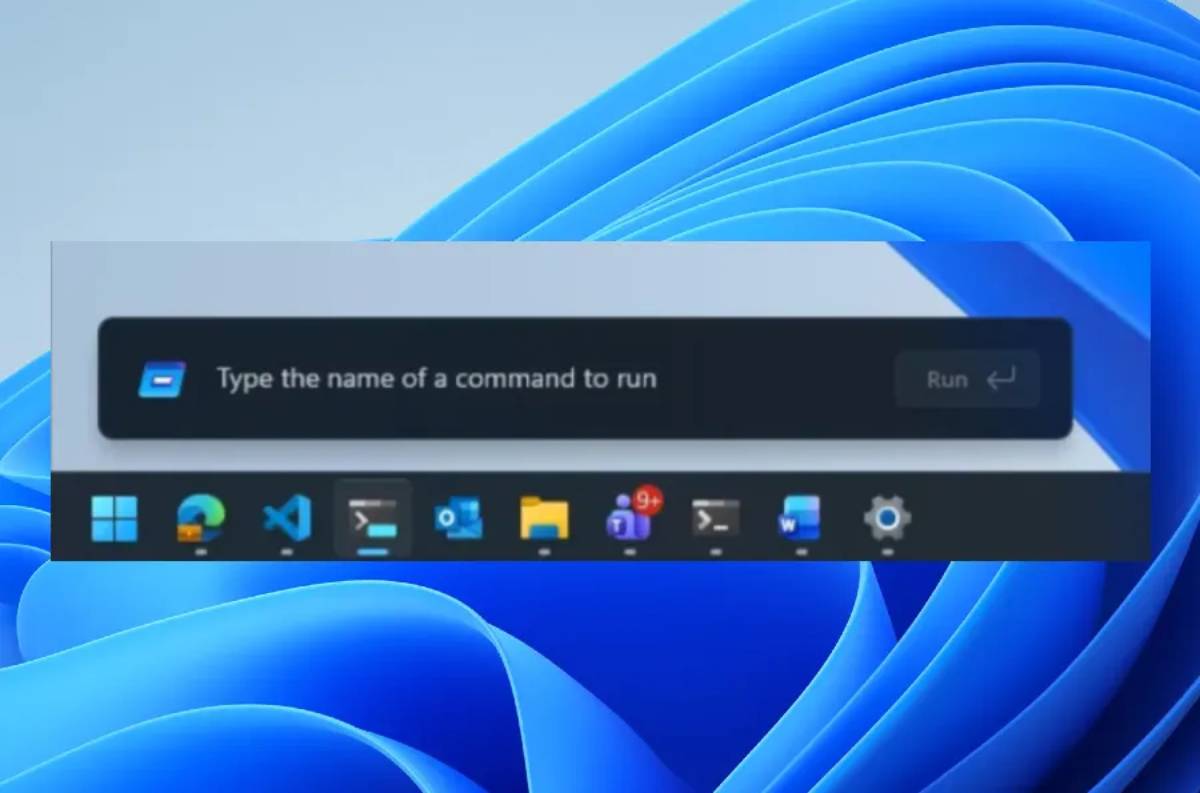
A major interface update is underway as Windows 11 tests a redesigned Run menu, reflecting a broader effort by Microsoft to refine system usability and modernize legacy UI components. The development highlights a continued push toward streamlined desktop interaction, with implications for enterprise users, developers, and global PC ecosystems.
Microsoft has begun testing a redesigned version of the Windows 11 Run dialog, part of ongoing interface refinements within the operating system. The update focuses on improving accessibility, visual consistency, and integration with modern design language across Windows 11.
The Run tool, traditionally used for quick command execution and system navigation, is being reworked to better align with the broader Windows 11 UI overhaul strategy. Early test builds suggest subtle visual and functional adjustments rather than a complete redesign. The rollout is currently limited to testing channels, indicating a phased evaluation approach before wider deployment across consumer and enterprise systems.
The redesign of legacy components like the Run dialog reflects Microsoft’s long-term strategy of modernizing Windows while maintaining backward compatibility for enterprise workflows. Since the launch of Windows 11, the company has gradually updated core interface elements to match its Fluent Design system.
Historically, Windows has carried forward many utility features from earlier generations of the OS, including command-based tools like Run, Control Panel, and legacy file explorers. However, evolving user expectations and competition from more streamlined operating systems have pushed Microsoft to rethink these elements.
The current shift also aligns with broader industry trends toward minimalistic interfaces, AI-assisted navigation, and context-aware system controls. As desktop computing increasingly integrates cloud and AI services, even small UI components are being re-evaluated for efficiency and consistency.
UI/UX analysts suggest that incremental redesigns such as the Run menu update are part of Microsoft’s broader “continuous evolution” model for Windows. Rather than large disruptive releases, the company is increasingly relying on iterative improvements delivered through feature updates.
Design experts note that legacy utilities like Run remain critical for power users, system administrators, and developers, meaning changes must balance modernization with functional familiarity. Overly aggressive redesigns risk disrupting established workflows in enterprise environments.
Industry observers also highlight that Microsoft’s interface strategy is increasingly influenced by cross-device consistency, ensuring that desktop, tablet, and cloud-based Windows experiences feel unified. While no formal public statement has emphasized the Run menu specifically, the update fits into Microsoft’s broader messaging around usability, productivity, and design coherence.
For enterprises, even minor UI adjustments in Windows 11 can have operational implications, particularly for IT teams managing large-scale deployments. Changes to system utilities like Run may require retraining or updated documentation in enterprise environments.
From a business perspective, Microsoft’s iterative redesign approach reinforces its commitment to long-term platform stability while still modernizing user experience. For developers, UI consistency improvements may streamline application integration and system interactions.
In policy and procurement contexts, especially in regulated industries, predictable OS evolution is critical. Analysts note that Microsoft’s cautious rollout strategy helps reduce disruption risk while still advancing usability standards across global enterprise systems.
The Run menu redesign is expected to remain in testing before broader deployment across Windows channels. Future updates may expand UI consistency improvements to other legacy components within Windows. Decision-makers will be watching how Microsoft balances innovation with enterprise stability. The key uncertainty remains whether incremental redesigns will be sufficient to modernize Windows or whether deeper structural changes will be required.
Source: The Verge
Date: May 4, 2026


